
That pattern shows up in the data, too. In ProductPlan's 2025 survey, 36% of respondents said senior leadership primarily decided product strategy, while customer feature requests and sales or support feedback each pulled in a smaller share of influence, according to ProductPlan's 2025 report. Different inputs, different owners, and no consistent rule for weighing them.
Prioritization templates fix that by giving teams a shared way to compare work using criteria like customer value, strategic alignment, effort, confidence, and risk. The harder version of the problem shows up once three squads score into the same backlog: each team applies the template honestly, and the lists still cannot be merged, because a "3" means something different on every sheet. This article walks through five templates you can build today, how to pick the right one, how to keep several teams scoring on the same scale, and how to run the process so it holds up under real evidence.
Key Takeaways
- Fast decisions call for a simple matrix; high-uncertainty or resource-heavy work needs a scoring framework
- Define what "high impact" and "low effort" mean before anyone scores a single item, and calibrate those definitions across every team scoring the same backlog
- Use templates as decision aids: a score informs a decision record, it does not make the decision
- Revisit priorities whenever new evidence, outcomes, or constraints shift the original assumptions
Why teams need prioritization templates
Unstructured prioritization debates tend to repeat themselves. Two people can argue about the same epic for weeks because they're each using different, unspoken criteria to judge it. A template ends that loop by putting the comparison in front of everyone at once. Across several squads the gap is wider: every team carries its own unspoken criteria, so the ranked lists they bring to planning have to be re-scored by hand before anyone can compare them.
Templates also tie backlog items back to something bigger. A feature request is a bet on a customer problem and a business goal. When a template forces a team to name that connection, weak bets get exposed early instead of after three sprints of work.
Three terms get mixed up:
- A prioritization template structures the decision (a matrix, a scorecard, a set of categories)
- A prioritization tool helps teams fill in and maintain that structure over time
- A project-management system helps execute what the prioritization decided
Spreadsheets and static documents can hold a template just fine, but they come with real limits:
- Decision context disappears once the spreadsheet is archived or overwritten
- Scores go stale the moment new customer evidence arrives
- Customer feedback lives somewhere else entirely, disconnected from the ranking
- Nobody can see whether the item that won actually delivered the expected outcome
In FlowDesk, a fictional demo dataset Shorter Loop uses to show the product, a Q4 backlog holds 6 epics and roughly 200 smaller items competing for the same sprint capacity. Without a shared scoring method, the same epic got re-argued every planning cycle. A simple value-versus-effort pass settled it in one meeting instead of three.
Prioritization templates for teams
Here are five formats you can recreate in a spreadsheet, whiteboard, or shared workspace. Each one fits a different kind of decision. Pick based on the call you're actually trying to make, not habit.
1. Impact-versus-effort matrix
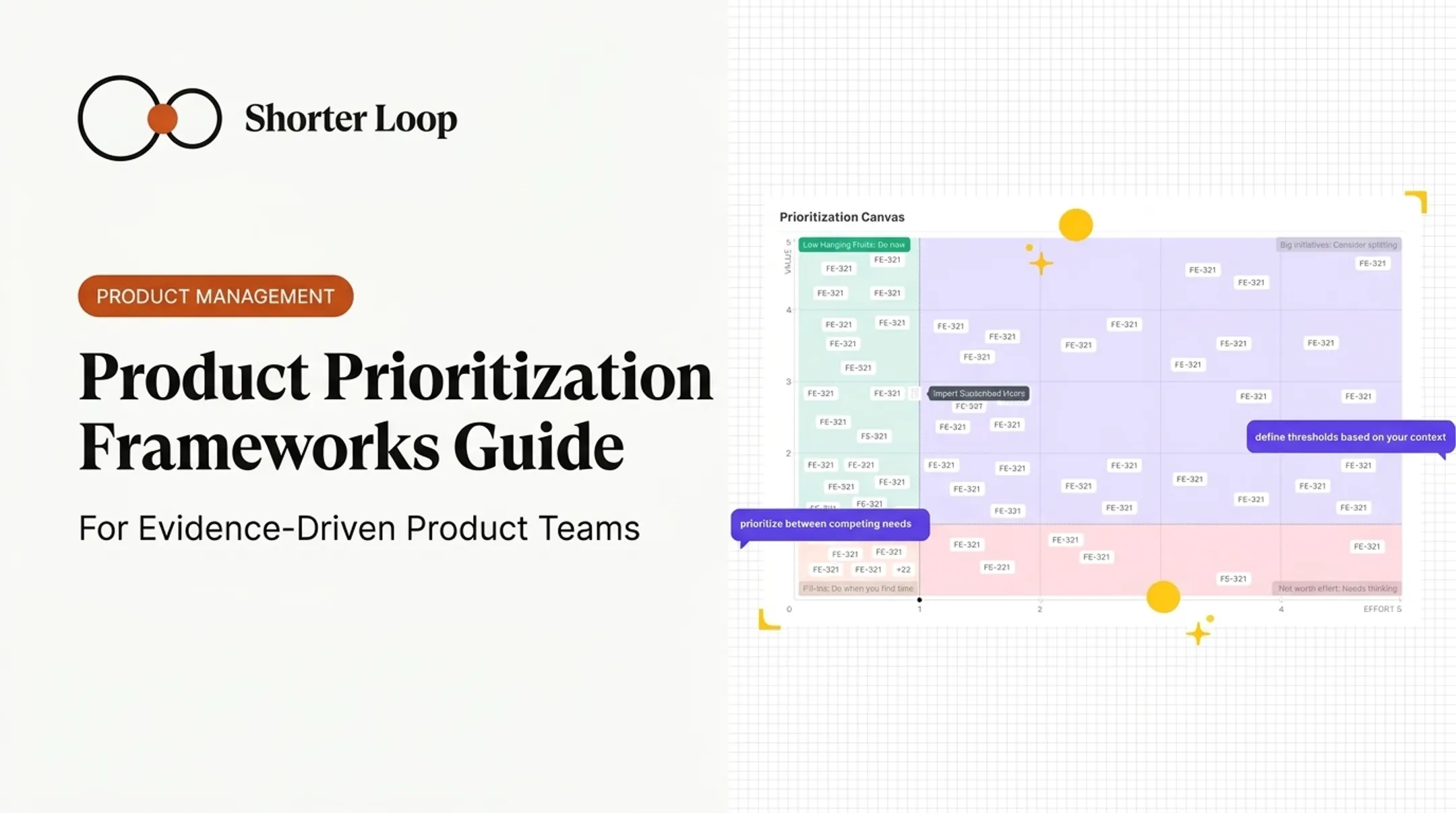
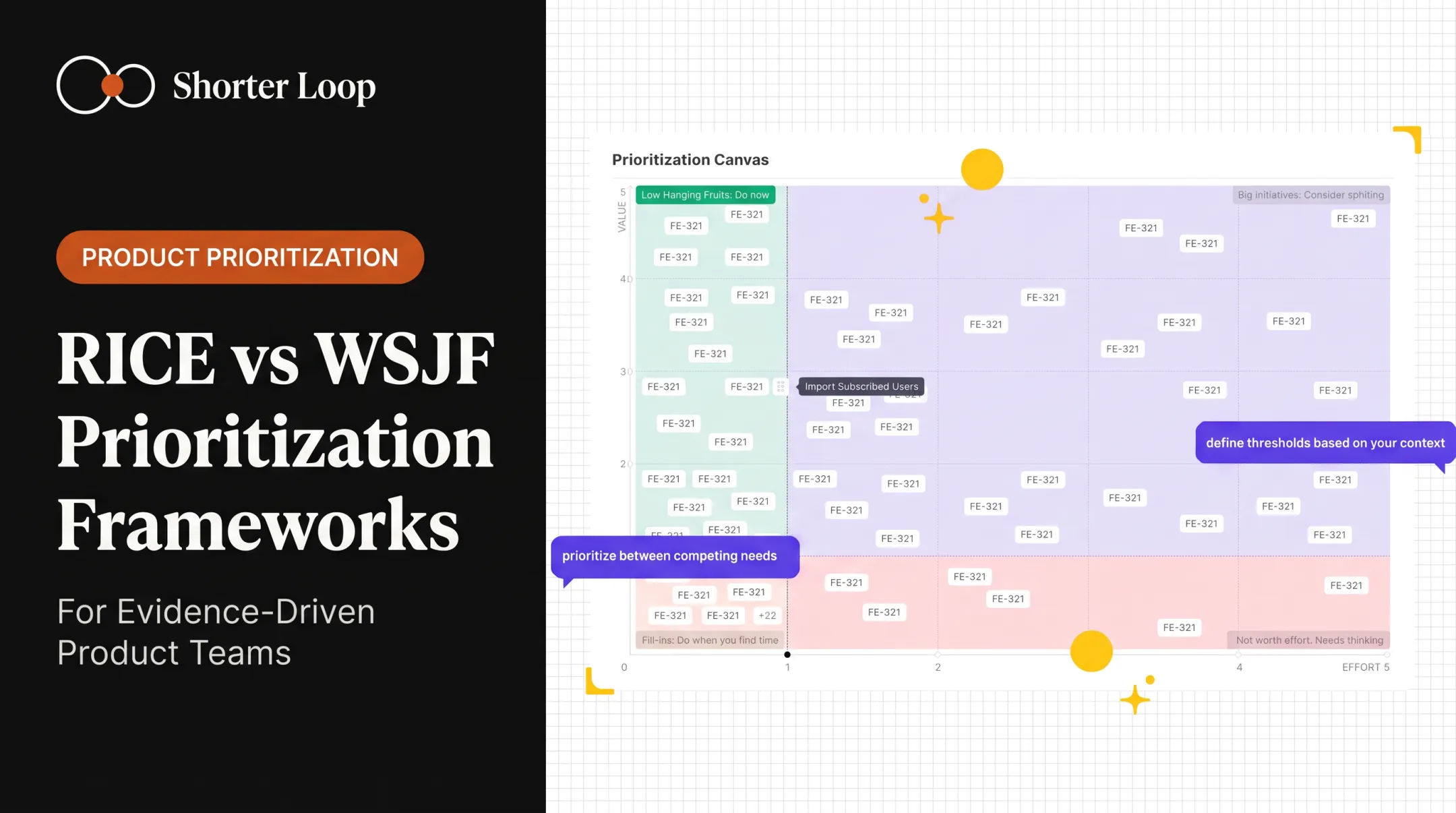
This is a two-axis chart: impact on one side, effort on the other. Plotting items creates four rough zones:
- High impact, low effort: quick wins worth doing first
- High impact, high effort: strategic bets that need real planning
- Low impact, low effort: fine as filler work, not a priority
- Low impact, high effort: hard to justify; usually the first thing to cut
Use this matrix for backlog grooming, sprint planning, brainstorming sessions, or any moment you need fast alignment in a room. The catch: "impact" has to mean a customer or business outcome, not whoever argues loudest. Define it before you start plotting dots. When more than one team plots onto the same chart, settle both axis definitions in the same room first, or each squad's quick wins land in a different corner.
In the FlowDesk demo dataset six epics plotted this way show three quick wins, one big strategic bet, one lower-priority item, and one epic that was hard to justify at all. They drew a capacity-based cutline and made "not this quarter" an explicit decision rather than a default.

2. RICE prioritization template
RICE stands for Reach, Impact, Confidence, and Effort. The formula:
RICE score = (Reach × Impact × Confidence) / Effort
Intercom's original explanation sets standard scales worth keeping in your template, according to Intercom's RICE framework:
- Impact: 3 (massive), 2 (high), 1 (medium), 0.5 (low), or 0.25 (minimal)
- Confidence: 100%, 80%, or 50% (use 0.8, not 80, in the math)
- Reach: people or events over a defined time period
RICE suits product teams comparing initiatives with different audiences, different expected outcomes, and different levels of supporting evidence. Add two fields most teams skip:
- A confidence rationale field explaining why the score is 50% versus 100%
- An evidence link pointing to the research, data, or customer quote behind the estimate
Without those fields, a confident-looking RICE score can hide a guess dressed up as a fact. They also make scores comparable between squads: a reviewer can see why one team called a piece of evidence 80% confident while another read the same evidence at 50%.
3. MoSCoW prioritization template
MoSCoW sorts work into four buckets: Must have, Should have, Could have, Won't have. Per Agile Business Consortium's guidance:
- Must Have: the minimum usable subset guaranteed for delivery
- Should Have: important but not vital
- Could Have: desirable, with less impact if dropped
- Won't Have: outside the current timeframe
This framework protects scope during launches, releases, and fixed-deadline projects. It works because it forces a conversation about what's actually non-negotiable.
The failure mode is predictable: everything becomes a Must Have. Require two things before anything lands in that bucket:
- A short written rationale for why it's essential
- An explicit consequence if it gets delayed or cut
If nobody can name a consequence, it's probably a Should Have.
4. Weighted decision matrix
List your options in rows and your criteria in columns. Assign each criterion a weight, score every option against each one, multiply, and sum for a total. Keep the scoring assumptions visible next to the numbers, not buried in someone's head. Where several teams share the matrix, the weights belong to the group that agreed them, and changing one is a decision to announce rather than a cell to edit.
Good criteria for cross-functional product decisions:
- Customer evidence
- Strategic fit
- Expected outcome
- Effort
- Risk
- Dependency impact
A strong total score should open a decision conversation, not close it. If the evidence behind the top-ranked item is thin, the number shouldn't override that judgment.
5. One-page decision record
The first four templates rank work. This one records the call that came out of the ranking, which is the part teams lose first. Keep it to a single page per decision and fill every line:
| Field | What goes in it |
|---|---|
| Decision | What the team decided to do, in one sentence |
| Date and owner | When it was made, and who owns the result |
| Problem | The customer problem, in the customer's own words |
| Claim underneath it | The thing that has to be true for this to pay off |
| State of that claim | Backed, untested, or something the evidence disagrees with |
| Evidence | Links to the feedback, research, or usage data behind it |
| Options considered | What else was on the table, and why it lost |
| Score and template used | The number, and the framework that produced it |
| What we will measure | The signal that says whether it worked, and by when |
| Review date | When somebody looks at this again |
Copy it into whatever your team already reads: a page in the wiki, a card on the item, a section in the planning doc. You can also start from the Decision Record template in Shorter Loop, under Docs > New > From template, in a 14-day trial with no credit card. Whichever you use, two lines of the record do most of the work. The claim underneath the decision is what makes the bet falsifiable, and the review date is what stops a stale call sitting on the roadmap for three quarters. For growing B2B SaaS teams pulling feedback from sales calls, support tickets, research interviews, and account conversations, it is also the only place those sources get reconciled on the record rather than in someone's memory.
Feature requests rarely land in one place. Some reach a dedicated feedback repository, others go straight into the backlog, many stay buried in interview notes, and a fair number are never written down at all. That spread alone explains why teams lose track of why something got prioritized in the first place.

A decision record is what the other four templates feed into. The score ranks the work; the record says what the team concluded, what that conclusion rests on, and when to look at it again. Six months later it is usually the only artifact that still answers "why did we build this."
Shorter Loop splits the two jobs the same way. Backlog Prioritization is a value-versus-effort chart of your epics and features: you place an item on the chart to score it, the score is value divided by effort, and you drag the cut lines to mark what gets done first. The reasoning sits on the item rather than on the chart, in each epic or feature's Evidence tab, which holds its claims and the feedback, documents, analytics, and related work behind them.
How to choose the right template for your team
Match the framework to the decision in front of you, not the one you used last time:
| Decision type | Best-fit template |
|---|---|
| Fast backlog call | Impact-versus-effort matrix |
| Comparing initiatives with uneven evidence | RICE or weighted matrix |
| Protecting scope under a deadline | MoSCoW |
| Recording why a bet was made | One-page decision record |
A few other things worth weighing:
- Team size and decision frequency: a five-person team doesn't need the same scoring rigor as a thirty-person org with six squads
- How many teams score into the same list: with more than one squad scoring, favor the template with the fewest subjective fields, and write down what each point on the scale means before anyone starts
- Available data: don't introduce a weighted matrix if nobody has the evidence to score the criteria honestly
- Planning cadence: quarterly planning supports more detailed scoring than weekly triage
- Cross-team dependencies: more dependencies usually means more columns in your criteria list
Select criteria that reflect real constraints: customer value, strategic fit, effort, risk, confidence, capacity, deadlines, dependencies. Then pilot one framework on a defined slice of work. Run it for a sprint or a planning cycle, ask the people using it what felt off, and adjust the criteria before calling it the team standard.
How to use a prioritization template effectively
A template only works if the process around it is disciplined. Here's the sequence that holds up:
- Define the decision and time horizon. Are you picking the next task, a sprint's worth of work, or a quarter's initiatives? The scope changes which template fits.
- Gather everything in one place. Customer requests, bugs, technical debt, discovery tasks, existing commitments, and work already in flight: all of it, not just the new asks.
- Set scoring rules before scoring anything. Write down what a "3" means, what evidence supports it, and what's still unvalidated.
- Score with the right people in the room. Record the reasoning behind major scores. When people disagree, write down the disagreement. Don't average it into a number that hides the uncertainty.
- Check dependencies and capacity before finalizing order. A high-value item that needs discovery work first shouldn't jump the queue just because its score is highest.
- Turn the result into explicit decisions: what ships now, what gets scheduled, what gets validated first, and what the team is deliberately not doing.
- Set a review rhythm tied to how fast your context changes, and revisit scores when evidence, strategy, risk, or outcomes shift.

One recurring failure mode is worth naming directly: a top-ranked item with a credible effort estimate paired with a value score built on an untested explanation. The ranking looks solid. The assumption underneath it isn't. Rank the work, set the cutline, then go back and inspect the value assumptions sitting above it, especially the one in first place.
Keep prioritization connected to evidence and outcomes
Most templates do a fine job of ranking work. Few of them keep the reasoning attached once the sprint starts. Six weeks later, nobody remembers why the import wizard beat the dashboard redesign, and the confidence score that justified it has long since evaporated.
This is where Shorter Loop fits into the picture. It's built to connect customer evidence, assumptions, prioritization decisions, strategy, and delivery work into one traceable loop. When someone asks "why did we build this," the answer isn't buried in a Slack thread from two quarters ago. When a solution is stopped, the reason stays on it, and its History tab shows each change to its score and priority and who made it. To run one of these templates with evidence attached, start a 14-day trial.
Keep the ranking understandable and grounded in customer reality as conditions change. For most teams, that shift happens more often than the planning calendar suggests.
When Several Teams Score the Same Backlog
A template works inside one team and starts to fail across three. The usual problem is that a 3 means something different to each scorer, so the numbers cannot be compared and the ranking is quietly meaningless.
Three things fix most of it:
- Calibrate the scale once, in writing. Define what a 1, 3 and 5 look like with a real example beside each, with all the scorers present rather than in a doc circulated afterwards.
- Score a few items together before splitting up. Take three items everyone knows and score them as a group. The arguments that surface are the definition work you skipped.
- Record the decision, not just the number. The score ranks; the decision record says what the team concluded and why. When leadership overrides the ranking later, as it will, that record is what stops the exercise being repeated from scratch.
A spreadsheet survives the first of these and usually not the other two, because it has nowhere to put the reasoning. That is the point at which teams move the scoring next to the evidence instead of beside it. If you reach it, you can start a 14-day trial (no credit card) and keep the score, the claim and the decision on the same item.
Frequently Asked Questions
How do I improve prioritization?
Set clear scoring criteria before reviewing any work, ground scores in customer evidence, and connect each item to a strategic goal. Review dependencies, make trade-offs visible, and reassess regularly rather than scoring once and moving on.
What are prioritization tools?
Prioritization tools range from simple matrices and scoring frameworks to decision tables, roadmap views, and backlog software. The more useful ones preserve the reasoning behind a decision and let teams track what happened after the work shipped.
How do I prioritize tasks on a chart?
Plot tasks on an impact-versus-effort or urgency-versus-importance chart, with clearly defined axes so every item gets judged the same way. Once plotted, convert the visual comparison into an ordered action list for the team to work through.
Which prioritization template is best for product teams?
It depends on the decision. RICE or a weighted matrix works best for evidence-rich comparisons between initiatives, while an impact-versus-effort matrix is faster for everyday backlog decisions.
How often should teams review their priorities?
Review cadence should match your planning cycle — weekly for fast-moving backlogs, quarterly for broader roadmaps. Beyond the calendar, revisit priorities whenever new evidence, risks, dependencies, or outcomes change the assumptions behind the original ranking.